
Is Tasks.Bot Good for PDF Data Extraction Automation? An Honest Review

You need to pull invoice totals out of 200 PDFs before Friday, and someone suggested trying Tasks.Bot. It runs on WhatsApp, which is where your team already works, so the mix-up is understandable. But the tool was built for assigning tasks, not scraping tables from documents.
This review answers one question directly: is Tasks.Bot a PDF data extraction tool? By the end, you will know what it actually automates, where it genuinely performs well, what it costs at ₹200 per month, and which teams should look elsewhere for document parsing.
What Is Tasks.Bot? Task Management, Not PDF Extraction
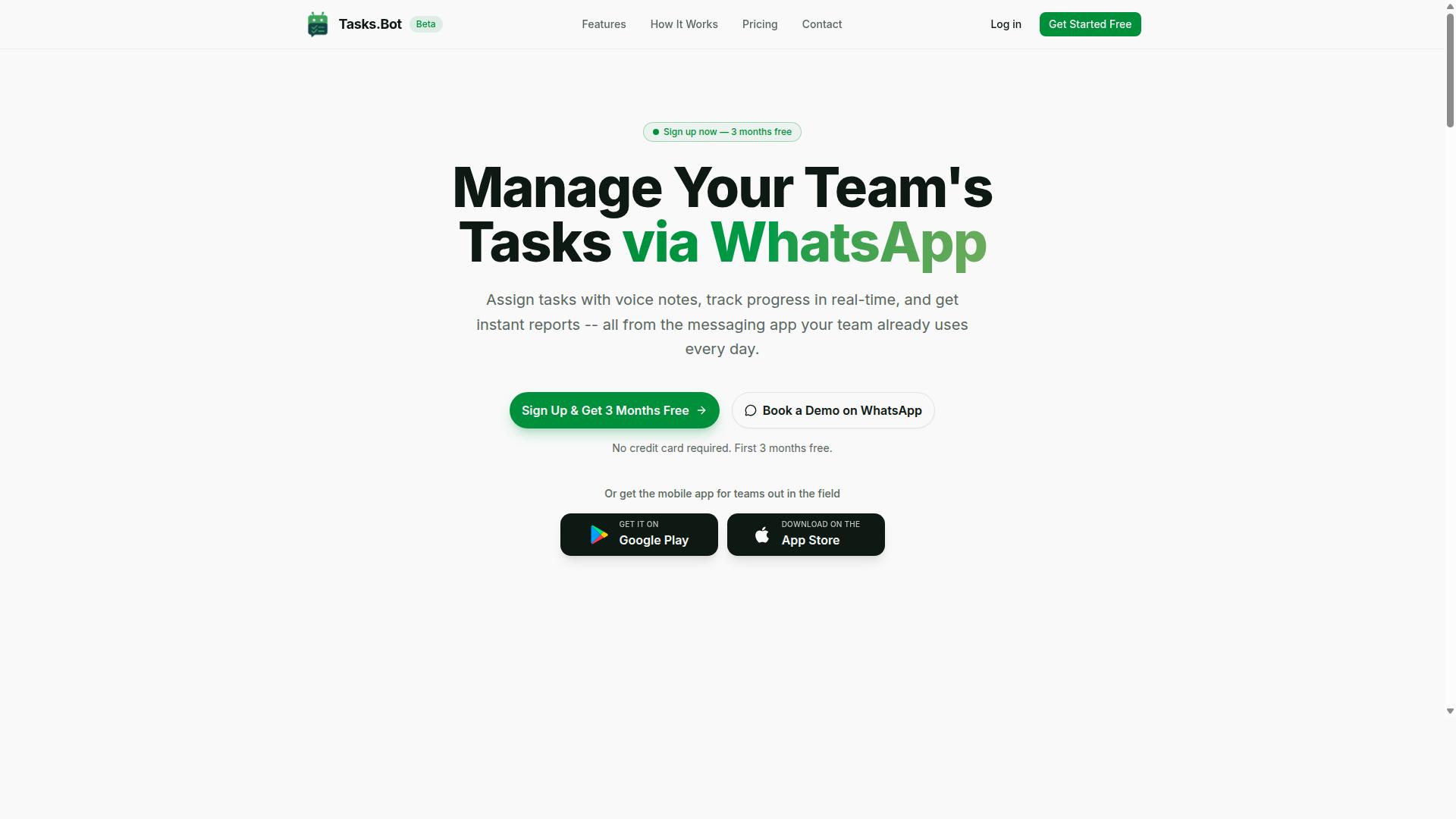
Tasks.Bot is a task management platform that operates entirely within WhatsApp, enabling teams to assign tasks, track progress, and receive reports without leaving the messaging app. It also offers a mobile app for field teams. The service is currently in beta and offers a free trial period.
That description tells you most of what you need to know about the platform's identity. Tasks.Bot lives where your team already communicates. Instead of asking people to adopt yet another dashboard or project tracker, it turns a familiar chat thread into a lightweight coordination hub.
This distinction matters for anyone reading an honest review with PDF data extraction in mind. Task management and document processing are two different categories of software. Tasks.Bot sits firmly in the first category.
Its core capabilities, based on the platform's stated purpose, include:
- Assigning tasks to team members inside WhatsApp
- Tracking progress on those tasks as work moves forward
- Receiving reports within the same messaging environment
- Supporting field teams through a dedicated mobile app
Notice what is absent from that list. There is no mention of OCR, optical character recognition, text parsing, or structured data output. No template matching, no regex handling, no layout analysis for tables or form fields. These are the building blocks of PDF extraction, and they simply are not part of what Tasks.Bot was built to do.
PDF data extraction tools typically focus on converting unstructured data from documents like invoices, receipts, purchase orders, bank statements, and other financial documents into usable formats such as CSV, JSON, or XML. Some rely on machine learning and natural language processing to identify key-value pairs and metadata. Others lean on RPA or workflow automation platforms with API integration into tools like Zapier, Make, Google Sheets, Airtable, or Excel.
Tasks.Bot does not claim any of that. And that is not a flaw. It is a sign that the product knows exactly what it is for.
If your goal is to pull line items out of a scanned invoice or batch-process hundreds of receipts, you need a document processing tool. If your goal is to make sure the person responsible for reviewing that invoice actually gets the task done, Tasks.Bot is built for that second job. Understanding this boundary early saves you from evaluating the platform against criteria it never set out to meet.
The platform is in beta and offers a free trial, so teams can explore its task assignment and reporting functions at no cost before committing. For a WhatsApp-first team that wants coordination without extra software, that is a reasonable starting point. For a team chasing PDF data extraction, the honest answer is that Tasks.Bot is the wrong tool for the job, and it never pretended otherwise.
The Honest Answer: Tasks.Bot Is Not a PDF Data Extraction Tool
If you're searching for a tool to extract data from PDFs, Tasks.Bot is not the solution. It lacks OCR, text parsing, and any document processing capabilities. That is the straightforward answer, and it matters because the two categories of software are often confused under the broad label of "automation."
PDF data extraction is a specialized discipline. It involves optical character recognition (OCR) to read scanned pages, text parsing to pull meaning from raw content, and layout analysis to handle tables, form fields, and key-value pairs. The goal is converting unstructured data, such as invoices, receipts, purchase orders, bank statements, and other financial documents, into structured data like CSV, JSON, or XML that systems can use.
Tools built for this work typically rely on template matching, regular expressions, machine learning, and natural language processing. Many also connect to workflow automation platforms through API integration, which is where names like Zapier, Make, Google Sheets, Airtable, and Excel tend to appear.
Tasks.Bot has none of these features. It does not perform OCR, does not parse documents, and does not output structured data files. Judged against the requirements of PDF data extraction, it simply is not in that product category. What it does instead is a different kind of automation entirely, and understanding that distinction is the key to deciding whether it fits your needs.
What Tasks.Bot Actually Automates Instead
Instead of PDF extraction, Tasks.Bot automates task management workflows. It is a task management service built on WhatsApp, with features including voice note task creation, automatic task assignment, smart deadline reminders, approvals and automations, and instant reports.
The platform also covers tasks on a map, a live day tracker, face-verified attendance, and shifts, leave, and hours management. It offers native WhatsApp integration along with Android and iOS apps that include push notifications, voice capture, and a home screen widget. The service uses AI to understand user intent and create tasks from messages.
A concrete example shows how this replaces manual coordination. A manager sends a voice note in a WhatsApp group. Tasks.Bot understands the intent, creates a task from that message, assigns it to the right person, and sets a smart deadline reminder. No one has to copy the request into a separate app or chase the group thread later.
Compare that to the usual alternative: instructions scattered across chat messages, tasks remembered informally, and deadlines tracked in someone's head. Tasks.Bot turns those loose conversations into a structured system with approvals and automations built in, plus instant reports that show what has been done and what is still pending.
So while document processing handles paperwork, Tasks.Bot handles people and their work. For teams already running on WhatsApp, that is the automation gap it was designed to close.
Where Tasks.Bot Genuinely Excels: AI, Voice Notes, and WhatsApp Automation
Tasks.Bot shines in its use of AI to interpret natural language and voice notes, making task creation as simple as sending a WhatsApp message. That single design choice separates it from tools that require a desktop dashboard, a training session, or a formal onboarding process before anything gets done.
The AI layer handles the messy, human side of input. A supervisor can type "send the signed purchase order to accounts by Friday" or record a short voice note on the way to a site visit, and Tasks.Bot turns that into a structured task. This is the same natural language processing idea that powers modern document processing, applied to everyday coordination instead of files.
For field teams, the friction reduction is the real story. People working from a van, a warehouse floor, or a client site rarely want to open another app. Speaking a task out loud takes seconds and fits the way they already communicate.
The verified strengths of Tasks.Bot in this area include:
- Natural language understanding for task creation, so instructions do not need to follow a rigid format
- Voice note support, which matters most for hands-busy or on-the-move workers
- Face-verified attendance and live GPS tracking for field staff, useful for teams that need proof of presence
- Enterprise-grade encryption, with conversations and task data never shared or used for training
- Full operation inside WhatsApp, with no installs and no new accounts for team members
That last point deserves emphasis. Because Tasks.Bot operates entirely within WhatsApp, team members don't need to install anything or create new accounts. Adoption barriers that normally kill internal tools, such as forgotten passwords and app fatigue, largely disappear.
It also means the tool lives where the conversation already happens. WhatsApp is familiar to office staff and field crews alike, so there is little to learn. A new hire can be productive on day one without a walkthrough.
Security is worth noting for managers evaluating any automation. Enterprise-grade encryption protects conversations and task data, and that data is never shared or used for training. For teams handling sensitive operational details, that stance is a meaningful part of the value proposition.
If your interest is broader automation, such as PDF data extraction or workflow automation, it helps to separate what Tasks.Bot is built for from what it is not. Its AI strength is interpreting human instructions and turning them into trackable work. Document parsing of invoices, receipts, or bank statements is a different discipline, one that leans on OCR and template matching.
Still, the coordination layer matters even in document-heavy operations. Someone has to review an extracted invoice, chase a missing receipt, or approve a purchase order. Tasks.Bot can carry those follow-ups inside WhatsApp while a dedicated extraction tool handles the text parsing itself.
A three-month free trial with no credit card required makes it easy to judge the fit directly. For teams that live on their phones and coordinate constantly, the AI, voice note, and WhatsApp combination is where Tasks.Bot is at its most convincing.
Key Features That Make Tasks.Bot Stand Out
Tasks.Bot packs a suite of features designed for teams that rely on WhatsApp, from voice-activated task creation to real-time reporting. Its core strength is that it works inside the app your team already uses, so there is no new platform to learn or adopt.
Users can create tasks by sending a voice note, and the service uses AI to understand user intent and turn that message into a task. From there, automatic task assignment routes work to the right person without manual sorting.
Smart deadline reminders keep tasks from slipping through the cracks, while approvals and automations handle the back-and-forth that usually slows a team down. Managers can also pull instant reports to see where things stand at any moment.
Tasks on a map give a visual sense of where work is happening, which matters for distributed teams. A live day tracker rounds out the picture by showing how the day is progressing.
For people who are not at a desk, Tasks.Bot offers native Android and iOS apps with push notifications, voice capture, and a home screen widget. That means tasks on the go are handled the same way as tasks in the office, all through a native WhatsApp integration.
Field Team Tools: Face-Verified Attendance, GPS Tracking, and Live Day Tracker
For teams with field staff, Tasks.Bot offers face-verified attendance, GPS tracking, and a live day tracker to monitor progress and hours in real time. These tools are built for the reality of work that happens away from a desk.
Face-verified attendance confirms that staff are actually on-site when they check in, which reduces buddy punching and other attendance gaps. GPS tracking adds location verification, so a check-in is tied to a real place rather than a claim.
The live day tracker ties it together by monitoring tasks and hours as the day unfolds. Because shifts, leave, and hours management are part of the same system, the hours captured can feed directly into payroll-ready records.
Consider a field manager with a crew spread across multiple sites. In the morning, attendance is confirmed through face verification and GPS. Through the day, the manager watches the live day tracker to see which tasks are done and how many hours have been logged, without chasing messages or paper sheets.
This setup is ideal for teams that use WhatsApp for communication and have field staff who need task management, attendance tracking, and payroll-ready hours. The site mentions hundreds of teams already using the service, which suggests the approach fits a common operational need rather than a niche one.
For an honest review of Tasks.Bot, the field team tools are a meaningful differentiator. They connect attendance, location, and task completion in one place, which is exactly the kind of structured data that manual processes tend to lose.
Pricing and Plans: Full Access at ₹200/Month or ₹1,200/Year
Tasks.Bot offers a single 'Full Access' plan with all features included, priced at ₹200 per member per month or ₹1,200 per member per year. There are no confusing tiers to compare and no feature locks hiding the tools you actually need. For anyone evaluating task management automation, that simplicity matters: you know exactly what you pay and exactly what you get.
Pricing is available in Indian Rupees (₹) and US Dollars ($), so teams outside India can read the cost in familiar terms. The site displays a 'Select currency' option with both choices, and it is worth confirming the currency before you commit, since exchange rates can shift the displayed figure over time.
The annual plan is the clear cost-saving route. Paying monthly works out to ₹2,400 per member across twelve months, while the yearly plan costs ₹1,200 for the same period. That is a 50% saving, or ₹1,200 per member per year, which adds up quickly for small teams.
| Plan | Price | Billing Period |
|---|---|---|
| Full Access | ₹200 per member | Monthly |
| Full Access | ₹1,200 per member | Yearly (save 50%) |
New users also get 3 months free, with no credit card required and the ability to cancel anytime. That trial window is generous for testing how well the tool handles your own task management needs before any money changes hands.
The service is currently in beta, and a refund policy is in place. Beta status is worth noting honestly: it can mean faster feature changes and the occasional rough edge, but it also means early users help shape where the product goes. Trialling the tool during the free period is the most practical way to judge fit.
Overall, the pricing is straightforward and affordable. A single all-inclusive plan, dual currency support, a free trial, and a refund policy together remove most of the usual purchase risk. For teams weighing whether Tasks.Bot suits their needs, the cost structure is one of the easiest parts of the decision.
Trust Signals: Beta Status, Encryption, and Hundreds of Teams
Tasks.Bot is currently in beta, but it already serves hundreds of teams and employs encryption to protect data. Those three signals tell you quite a bit about where the product stands today and what kind of buyer it suits. They are worth unpacking one at a time.
Beta status is the first thing a careful buyer notices. A beta label means the platform is still under active development, so features can shift and improve over time. That is not a red flag. It is closer to a signal that the team is still investing in the product rather than letting it sit unchanged.
The practical takeaway is simple. If you need a frozen, unchanging system with a long support history, beta may give you pause. If you want a tool that is still being actively built, the label is neutral to positive. Either way, it is better to know this upfront than to discover it later.
Encryption matters just as much when the data moving through a system is sensitive. Any platform handling operational material should treat security as a baseline requirement, not a bonus.
Tasks.Bot employs encryption to protect data, and that is the claim worth repeating here. It is a meaningful safeguard for teams. It is also worth being precise: encryption protects data in transit and at rest, but it does not replace your own access controls or retention rules. Treat it as one layer, not the whole story.
Then there is adoption. Hundreds of teams already use Tasks.Bot, which is a useful counterweight to the beta label. A brand new tool with no users is a gamble. A tool with hundreds of teams behind it has survived contact with real workflows and real edge cases. That matters more than a polished marketing page.
One more risk-reducer is easy to miss: the site mentions a refund policy in the footer. A refund policy lowers the cost of trying something and finding it is not a fit. Combined with the beta status, encryption, and existing user base, it rounds out a picture of a platform that is transparent about where it is and what it offers.
So how should you read these signals together?
- Beta status: active development, expect ongoing change
- Encryption: a security baseline for sensitive data
- Hundreds of teams: real-world usage behind the product
- Refund policy: a lower-risk way to evaluate fit
None of these signals is a guarantee on its own. Beta means the product is still moving. Encryption is one layer among several. Adoption by hundreds of teams does not mean every workflow will fit. But taken together, they point to a platform that is legitimate, actively maintained, and reasonably safe to evaluate.
For a team handling sensitive operational data, that combination is a sensible starting point. It is not a promise that Tasks.Bot will handle every workflow perfectly. It is a set of credible signals that the tool is worth a serious look rather than a dismissal.
Who Should Use Tasks.Bot (and Who Needs a Dedicated PDF Tool)
Tasks.Bot is ideal for teams that already use WhatsApp for communication, especially those with field staff needing task management, attendance tracking, and payroll-ready hours. That is the core audience the service was built around, and the site notes that hundreds of teams already rely on it.
The logic here is simple. If your daily coordination already happens in a chat thread, Tasks.Bot meets people where they are instead of forcing them into a new platform. Field workers rarely sit at a desk, so a tool that lives inside WhatsApp fits their reality. Adoption friction stays low because there is no unfamiliar interface to learn.
A construction company is a good example. Crew leads log attendance from a phone, managers assign jobs through chat, and office staff pull hours that are ready for payroll. Nobody has to chase paper timesheets or re-enter data later. The workflow stays in one place from start to finish.
Now consider the flip side. An accounting firm processing invoices, receipts, purchase orders, and bank statements needs something different entirely. These are unstructured data problems, and they call for optical character recognition, layout analysis, and table extraction, not task tracking.
For that kind of work, dedicated PDF data extraction tools are the right fit. Products such as Adobe, Docparser, or Rossum focus on pulling structured data out of financial documents. They handle template matching, key-value pairs, and form fields in ways a chat-based task manager was never designed to do.
So the split looks like this:
- Tasks.Bot fits: WhatsApp-first teams, field crews, supervisors who need attendance tracking and payroll-ready hours, and small operations that want task management without a new app.
- Dedicated PDF tools fit: accountants, finance teams, and data entry specialists working with invoices, receipts, purchase orders, bank statements, and other financial documents.
- Neither replaces the other: task coordination and document processing solve different problems, and mixing them up leads to frustration.
If your bottleneck is knowing who showed up and what got done, Tasks.Bot is the honest answer. If your bottleneck is turning a stack of PDFs into clean CSV, JSON, or XML rows, you need a document processing tool with real OCR and text parsing under the hood.
Some teams eventually need both, and that is fine. Use Tasks.Bot for the people side of operations, and use a dedicated extraction platform for the paperwork side. Matching the tool to the job is what keeps automation genuinely useful rather than just another subscription nobody opens.
Final Verdict: Great for WhatsApp Task Automation, Wrong Tool for PDFs
Tasks.Bot is a powerful WhatsApp-based task automation tool, but it is not designed for PDF data extraction. If that's your need, look elsewhere. This honest review reaches a clear conclusion: judge the product against the job you actually need done, and for PDFs, Tasks.Bot simply is not the answer.
Where Tasks.Bot shines is task management inside WhatsApp. It brings AI assistance, voice notes, and field team tools into a messaging app that most teams already use daily. For assigning work, tracking updates, and coordinating people on the move, that combination is genuinely useful.
What it does not offer is document processing. There is no OCR, no text parsing, no table extraction, and no way to turn unstructured data into structured data. Invoices, receipts, purchase orders, bank statements, and other financial documents are outside its scope entirely.
Why the Distinction Matters
PDF data extraction is a specialized discipline. It relies on optical character recognition, layout analysis, template matching, and often machine learning or natural language processing to pull key-value pairs, form fields, and tables from complex documents.
Tasks.Bot's strengths sit in a different category: workflow automation for people, not documents. Expecting it to handle batch processing of PDFs, export to CSV, JSON, or XML, or sync parsed records into Google Sheets, Airtable, or Excel would lead to disappointment. That is not a flaw in the product. It is a mismatch of purpose.
Anyone comparing tools should ask one question first: am I automating tasks or documents? If the answer is tasks, Tasks.Bot fits well. If the answer is documents, dedicated extraction platforms are the right path.
What to Use Instead for PDF Extraction
Readers who need PDF data extraction should look at purpose-built tools. These typically support OCR, template matching, regex rules, and API integration with platforms like Zapier or Make. Many also connect to Google Sheets, Airtable, and Excel for downstream use.
When evaluating these tools, check a few practical points:
- Accuracy on your document types, such as invoices, receipts, or bank statements
- Support for table extraction and key-value pairs
- Export formats, including CSV, JSON, and XML
- Batch processing for high-volume workloads
- Integration options for your existing workflow automation stack
Some platforms lean on robotic process automation, others on machine learning. The right choice depends on how structured or unstructured your documents are, and how much manual data entry you want to remove.
Where Tasks.Bot Delivers Real Value
For teams that live in WhatsApp, Tasks.Bot solves a real problem. It keeps task assignment, updates, and coordination in one place, with AI and voice notes reducing friction for field teams. That is a focused, practical use case, and it does it well.
The verdict is straightforward. Tasks.Bot is a strong choice for WhatsApp task automation. It is the wrong tool for PDF data extraction. Matching the tool to the task is the whole point of an honest review.
Readers interested in Tasks.Bot can reach the team directly:
- Phone: +91 97143 42522
- Email: [email protected]
To see it in action, book a demo on WhatsApp or visit the website. If PDF extraction is your goal, choose a dedicated document processing tool instead, and let Tasks.Bot handle the task coordination around it.
Frequently Asked Questions
What exactly does Tasks.Bot do, and how does it relate to PDF data extraction?
Tasks.Bot is a task management platform that operates via WhatsApp, letting teams assign tasks, track progress, and receive reports without leaving the messaging app. It also offers a mobile app for field teams. If your PDF extraction workflow needs human steps - reviewing extracted data, approving results, or assigning follow-ups - Tasks.Bot can manage those tasks and approvals, but it is not itself a PDF parsing or data extraction engine.
Do I need to install new software or create accounts for my team to use Tasks.Bot?
No. Tasks.Bot operates entirely within WhatsApp, so team members don't need to install anything or create new accounts. There is also a mobile app available for field teams who need it. This makes it easy to roll out to staff who already use WhatsApp daily.
How much does Tasks.Bot cost?
Tasks.Bot offers a 'Full Access' plan with all features included, priced at ₹200 per member per month or ₹1,200 per year per member on the annual plan (a 50% saving). Pricing is available in both Indian Rupees and US Dollars. The service is currently in beta, and the website mentions a refund policy in the footer.
Can Tasks.Bot handle task creation and reminders for repetitive data workflows?
Yes. Tasks.Bot supports voice note task creation, automatic task assignment, smart deadline reminders, approvals and automations, and instant reports. Its AI understands natural language and voice notes, so you can create tasks quickly without filling out forms. For repetitive PDF-related workflows, this means you can assign review or verification steps and get reminders automatically.
Is Tasks.Bot suitable for teams working with field staff or distributed operations?
Tasks.Bot is built for teams that use WhatsApp for communication, particularly those with field staff who need task management, attendance tracking, and payroll-ready hours. It offers face-verified attendance, tasks on a map, and a live day tracker. Since it's a SaaS product accessible worldwide via WhatsApp and mobile apps, there are no country restrictions mentioned.
How can I try Tasks.Bot or get more information?
You can book a demo on WhatsApp directly through the Tasks.Bot website. For questions, reach out at [email protected] or call +91 97143 42522. The site mentions that hundreds of teams are already using the service.
Recommended Resources: